Angular’s HttpClient remains one of the most essential features for building modern web applications that communicate with REST APIs. Whether you need to fetch product data, submit forms, or integrate with a backend service, understanding how to use HttpClient efficiently is a must-have skill for every Angular developer.
In this updated tutorial, we will learn how to consume REST API data using Angular 21 HttpClient with the latest modern Angular features, including:
- standalone components
provideHttpClient()setup- typed interfaces
- Signals for the reactive state
- modern control flow syntax
- functional interceptors
- error handling best practices
Unlike older Angular versions that relied heavily on NgModule and HttpClientModule, Angular 21 follows a standalone-first architecture, making applications cleaner, faster, and easier to maintain. Angular’s official documentation now recommends configuring HttpClient using provideHttpClient() in app.config.ts.
In this step-by-step guide, we will build a working example that retrieves product data from a REST API and displays it in a modern Angular 21 standalone component.
By the end of this tutorial, you will be able to:
- connect Angular apps to external REST APIs
- perform GET requests with
HttpClient - manage loading and error states using Signals
- structure reusable API services
- Prepare your application for CRUD operations
This tutorial is fully updated for Angular 21 and the latest Angular CLI.
Prerequisites
Before starting this tutorial, make sure you have the following tools installed on your development machine:
- Node.js version 20 or later
- npm (included with Node.js)
- Angular CLI latest version
- A code editor such as Visual Studio Code
To verify that Node.js and npm are installed correctly, run the following commands in your terminal:
node -v
npm -v
You should see version numbers similar to:
v22.x.x
11.x.x
Next, install or update Angular CLI to the latest version:
npm install -g @angular/cli@latestAfter installation, confirm the Angular CLI version:
ng versionAt the time of writing, this tutorial is fully updated for Angular 21.
     _                      _                 ____ _     ___
    / \   _ __   __ _ _   _| | __ _ _ __     / ___| |   |_ _|
   / △ \ | '_ \ / _` | | | | |/ _` | '__|   | |   | |    | |
  / ___ \| | | | (_| | |_| | | (_| | |      | |___| |___ | |
 /_/   \_\_| |_|\__, |\__,_|_|\__,_|_|       \____|_____|___|
                |___/


Angular CLI       : 21.2.6
Node.js           : 22.19.0
Package Manager   : npm 11.12.1
Operating System  : darwin arm64
Create a New Angular 21 Project
Now, let’s create a new Angular 21 application using the Angular CLI.
Run the following command:
ng new angular21-httpclient-demoThe CLI will ask a few setup questions.
Use the following recommended answers:
✔ Which stylesheet system would you like to use? Sass (SCSS)     [
https://sass-lang.com/documentation/syntax#scss                ]
✔ Do you want to enable Server-Side Rendering (SSR) and Static Site Generation
(SSG/Prerendering)? No
✔ Which AI tools do you want to configure with Angular best practices?
https://angular.dev/ai/develop-with-ai None
Once the project is created, move into the project folder:
cd angular21-httpclient-demoStart the development server:
ng serveOpen your browser and navigate to:
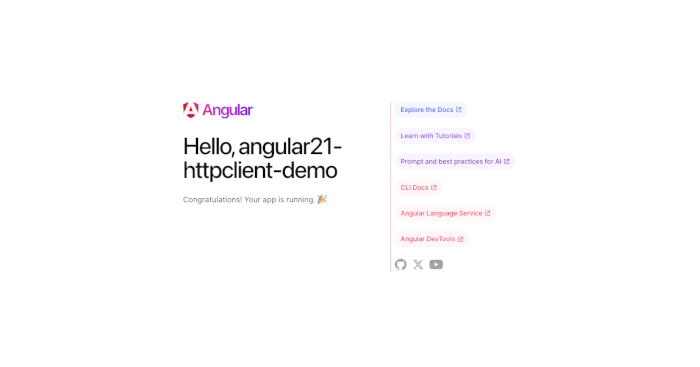
http://localhost:4200You should see the default Angular welcome page.
Understanding the Angular 21 Project Structure
Angular 21 uses a standalone-first architecture, which means it no longer depends on the traditional AppModule setup used in older versions.
Inside the src/app folder, you will typically see files like:
src/
 └── app/
     ├── app.ts
     ├── app.html
     ├── app.css
     └── app.config.ts
The most important file for this tutorial is:
src/app/app.config.tsThis is where we will configure HttpClient using the modern provideHttpClient() function in the next section.
This approach replaces the old HttpClientModule import pattern and keeps the application cleaner and more modular. Angular officially recommends this setup for standalone applications.
Why Use Standalone Components?
If you are updating from an older Angular tutorial, you may notice that there is no app.module.ts file.
That is completely normal.
Standalone components simplify Angular applications by:
- reducing boilerplate code
- removing unnecessary modules
- improving lazy loading
- making components more reusable
- improving performance and maintainability
For new Angular 21 projects, this is the recommended project structure.
Configure HttpClient with provideHttpClient()
Before we can consume data from a REST API, we need to configure Angular’s HttpClient.
In Angular 21 standalone applications, the recommended way to enable HTTP services is by using provideHttpClient() inside app.config.ts. This replaces the older HttpClientModule import pattern used in NgModule-based applications. Angular’s official v21 documentation explicitly recommends this approach.
Open the following file:
src/app/app.config.tsUpdate it with the following code:
import { ApplicationConfig, provideBrowserGlobalErrorListeners } from '@angular/core';
import { provideRouter } from '@angular/router';

import { routes } from './app.routes';

export const appConfig: ApplicationConfig = {
  providers: [
    provideBrowserGlobalErrorListeners(),
    provideRouter(routes),
    provideHttpClient()
  ]
};
Understanding the Configuration
Let’s break this down.
Import provideHttpClient()
import { provideHttpClient } from '@angular/common/http';This function registers Angular’s HttpClient service into the dependency injection system.
Once registered, you can inject HttpClient into services, components, or other classes.
Register the provider
providers: [
  provideHttpClient()
]
This tells Angular to make HttpClient available application-wide.
After this step, any service can use:
private http = inject(HttpClient);without additional configuration.
Why provideHttpClient() Instead of HttpClientModule?
If you are updating an older tutorial, you may remember this pattern:
import { HttpClientModule } from '@angular/common/http';That was the traditional approach in older Angular versions.
In Angular 21, the standalone-first approach is cleaner and recommended because it:
- reduces boilerplate
- avoids unnecessary modules
- improves provider configuration
- works better with interceptors
- fits modern standalone architecture
Angular docs specifically recommend provideHttpClient() for more stable multi-injector behavior.
Project Structure After Update
Your The src/app folder should now look similar to this:
src/
 └── app/
     ├── app.ts
     ├── app.html
     ├── app.css
     └── app.config.ts
Optional: Prepare for Interceptors
One advantage of provideHttpClient() is that it can be extended with additional features later.
For example, in a later section, we will add interceptors like this:
provideHttpClient(
  withInterceptors([authInterceptor])
)
Angular officially recommends functional interceptors in standalone apps.
This makes the setup future-proof for authentication, logging, or error handling.
Verify the Application
Run the Angular development server again:
ng serveIf the application runs successfully without errors, your HttpClient is now ready to use.
At this point, we are ready to create a strongly typed model and a reusable API service.
Create Product Interface and REST API Service
Now that the Angular 21 project is ready, let’s create a strongly typed model and a reusable REST API service.
This section will help us:
- define the structure of API response data
- improve TypeScript type safety
- create reusable HTTP methods
- Prepare the app for future CRUD operations
Angular officially recommends injecting HttpClient into services for reusable API access.
Create the Product Interface
First, create a models folder inside src/app.
Your structure should look like this:
src/
 └── app/
     ├── models/
     │   └── product.ts
     ├── services/
     └── app.ts
Create the file:
src/app/models/product.tsAdd the following code:
export interface Product {
  id: number;
  name: string;
  description: string;
  price: number;
  updatedAt: string;
}
Why Use an Interface?
Using an interface gives your application better type safety.
Instead of using untyped any, TypeScript now knows exactly what fields each product contains.
This improves:
- IDE autocomplete
- code readability
- error detection
- maintainability
For example, Angular can now automatically suggest:
product.name
product.price
This is strongly recommended in modern Angular projects.
Generate REST API Service
Now generate a new Angular service using the CLI.
Run this command:
ng generate service services/product.serviceOr the shorter version:
ng g s services/product.serviceThis will create:
src/app/services/product.service.tsCreate the Product Service
Open the generated file:
src/app/services/product.service.tsUpdate it with the following code:
import { HttpClient } from '@angular/common/http';
import { inject, Injectable } from '@angular/core';
import { Observable } from 'rxjs';
import { Product } from '../models/product';

@Injectable({
  providedIn: 'root',
})
export class ProductService {
  private readonly http = inject(HttpClient);

  private readonly apiUrl = 'http://localhost:3000/api/v1/products';

  getProducts(): Observable<Product[]> {
    return this.http.get<Product[]>(this.apiUrl);
  }
}
Angular supports inject(HttpClient) as the modern dependency injection patterns.
Understanding the Service Code
Let’s break this down.
Inject HttpClient
private http = inject(HttpClient);This gives the service access to Angular’s HTTP methods.
You can now perform:
- GET
- POST
- PUT
- DELETE
- PATCH
requests.
Because Angular 21 provides HttpClient by default, this works without additional configuration for basic use cases.
Define the API URL
private apiUrl = 'https://www.djamware.com/api/v1/products';This stores the REST endpoint in one place.
This makes the service easier to maintain later.
Create GET Method
getProducts(): Observable<Product[]> {
  return this.http.get<Product[]>(this.apiUrl);
}
This method performs an HTTP GET request and returns an observable array of Product.
The generic type:
<Product[]>ensures TypeScript knows the response structure.
This is much better than:
anyExpected API Response Example
The service expects a JSON response like this:
[
  {
    "id": 1,
    "name": "Laptop",
    "description": "Gaming laptop",
    "price": 1200,
    "updatedAt": "2026-04-06T10:00:00Z"
  }
]
This matches our interface exactly.
Best Practice Tip
Using a dedicated service is the recommended Angular architecture because it separates:
- UI logic → component
- data access → service
This keeps the code clean and scalable.
Consume API Data in Standalone Component
Now that we have created the ProductService, it’s time to consume the REST API data inside our Angular 21 standalone component.
In this section, we will:
- Inject the service into the component
- fetch product data from the API
- store the response in a local state
- prepare the UI for rendering
This follows Angular’s recommended separation of concerns:
- service → API/data access
- component → UI logic and rendering
Update the Main Standalone Component
Open the main component file:
src/app/app.tsReplace its content with the following code:
import { Component, OnInit, signal } from '@angular/core';
import { RouterOutlet } from '@angular/router';
import { Product } from './models/product';
import { ProductService } from './services/product.service';

@Component({
  selector: 'app-root',
  imports: [RouterOutlet],
  templateUrl: './app.html',
  styleUrl: './app.scss'
})
export class App implements OnInit {
  products = signal<Product[]>([]);
  loading = signal(true);
  error = signal('');

  constructor(private readonly productService: ProductService) { }

  ngOnInit(): void {
    this.loadProducts();
  }

  loadProducts(): void {
    this.productService.getProducts().subscribe({
      next: (data) => {
        this.products.set(data);
        this.loading.set(false);
      },
      error: (err) => {
        console.error(err);
        this.error.set('Failed to load products');
        this.loading.set(false);
      }
    });
  }
}
Understanding the Component Code
Let’s break down each important part.
Import Required Modules
import { CommonModule } from '@angular/common';
import { ProductService } from './services/product.service';
import { Product } from './models/product';
These imports allow the component to:
- use Angular template features
- access the REST API service
- use strong typing for product data
Use Signals for Reactive State
Angular 21 strongly encourages using Signals for local reactive state.
products = signal<Product[]>([]);
loading = signal(true);
error = signal('');
This creates three reactive state variables:
products→ stores API responseloading→ controls loading stateerror→ displays error message
This is much cleaner than older BehaviorSubject or plain variables.
Load Data on Initialization
ngOnInit(): void {
  this.loadProducts();
}
When the component loads, Angular automatically calls ngOnInit().
This triggers the API request immediately.
Call the Service
this.productService.getProducts().subscribe({This calls the GET endpoint we created in the service.
Because HttpClient returns an Observable, we subscribe to receive the response.
Handle Success Response
next: (data) => {
  this.products.set(data);
  this.loading.set(false);
}
When the API request succeeds:
- data is stored in
products - loading state becomes false
Handle Errors
error: (err) => {
  console.error(err);
  this.error.set('Failed to load products');
  this.loading.set(false);
}
This ensures the UI can gracefully handle failures.
This is important for production-ready tutorials.
Why Use Signals Here?
Signals are one of the most important Angular modern features.
They make UI updates automatic.
When this changes:
this.products.set(data);Angular automatically re-renders the UI.
No manual change detection is needed.
This makes the tutorial feel modern and aligned with Angular 21 best practices.
Updated Project Structure
At this point, your project should look like this:
src/
 └── app/
     ├── models/
     │   └── product.ts
     ├── services/
     │   └── product.service.ts
     ├── app.ts
     ├── app.html
     ├── app.css
     └── app.config.ts
What Happens Next?
At this stage, the component successfully fetches data from the API.
However, nothing is visible yet because we have not rendered the products array in the HTML template.
That will be the next section.
Want the Full Source Code + Bonus Chapters?
Get my complete Angular 21 eBook with:
- full project source code
- CRUD examples
- JWT auth
- deployment guide
Display Data Using Angular 21 Modern Control Flow Syntax
Now that the API data is successfully loaded into the standalone component, let’s display it in the UI.
Angular 21 provides modern built-in control flow syntax using:
@if@for
This replaces the older structural directives such as:
*ngIf*ngFor
The new syntax is cleaner, easier to read, and better optimized by Angular.
In this section, we will display:
- loading state
- error state
- product list
Update the Template File
Open the template file:
src/app/app.htmlReplace it with the following code:
<div class="container">
  <h1>Angular 21 REST API Products</h1>

  @if (loading()) {
    <p>Loading products...</p>
  }

  @if (error()) {
    <p class="error">{{ error() }}</p>
  }

  @if (!loading() && !error()) {
    <div class="product-list">
      @for (product of products(); track product.id) {
        <div class="product-card">
          <h3>{{ product.name }}</h3>
          <p>{{ product.description }}</p>
          <p><strong>Price:</strong> ${{ product.price }}</p>
          <small>Updated: {{ product.updatedAt }}</small>
        </div>
      }
    </div>
  }
</div>
How the Modern Control Flow Works
Let’s break this down.
Loading State with @if
@if (loading()) {
  <p>Loading products...</p>
}
This block is displayed only while the API request is in progress.
As soon as the request completes, Angular automatically removes it.
This is possible because loading is a Signal.
Error State with @if
@if (error()) {
  <p class="error">{{ error() }}</p>
}
If the API request fails, this message is shown.
This gives users clear feedback instead of a blank page.
Product List with @for
@for (product of products(); track product.id) {This loops through the product array and renders each item.
This is the Angular 21 replacement for:
<div *ngFor="let product of products">The new syntax is much more readable.
Angular officially recommends built-in control flow for modern apps.
Why Use track product.id?
track product.idThis improves rendering performance.
Angular can efficiently update only changed items instead of re-rendering the entire list.
This is especially important for large datasets.
Add Basic Styling
Open:
src/app/app.cssAdd the following CSS:
.container {
  max-width: 900px;
  margin: 40px auto;
  padding: 20px;
  font-family: Arial, sans-serif;
}

.product-list {
  display: grid;
  gap: 20px;
}

.product-card {
  padding: 20px;
  border: 1px solid #ddd;
  border-radius: 8px;
}

.error {
  color: red;
}
This creates a clean card layout for the products.
Expected Output
After saving all files, run:
ng serveOpen:
http://localhost:4200You should now see:
- page title
- loading message
- product cards
- price and updated date
Why This Is Better Than *ngFor
Older Angular tutorials still use:
*ngIf
*ngFor
Using the new control flow syntax makes this tutorial feel modern and helps it rank for Angular 21 searches.
This is an important SEO upgrade for the article.
Best Practice Tip
Because we are using Signals, every UI update is reactive.
For example:
this.products.set(data);automatically refreshes the template.
This makes the combination of Signals + @for + @if one of the best Angular 21 patterns.
Add Loading and Error Handling with Signals (Best Practices)
In real-world applications, API requests can take time or fail unexpectedly.
Some common scenarios include:
- slow network connection
- backend server errors
- invalid API endpoint
- timeout issues
- empty responses
To build a professional Angular 21 application, we should always handle:
- loading state
- success state
- error state
- empty data state
Angular Signals make this much cleaner and more reactive.
Improve the Component State Management
Open the component file again:
src/app/app.tsUpdate the state variables to include an isEmpty computed signal.
import { Component, computed, OnInit, signal } from '@angular/core';
import { Product } from './models/product';
import { ProductService } from './services/product.service';

@Component({
  selector: 'app-root',
  imports: [],
  templateUrl: './app.html',
  styleUrl: './app.scss'
})
export class App implements OnInit {
  products = signal<Product[]>([]);
  loading = signal(true);
  error = signal('');

  isEmpty = computed(() =>
    !this.loading() &&
    !this.error() &&
    this.products().length === 0
  );

  constructor(private readonly productService: ProductService) { }

  ngOnInit(): void {
    this.loadProducts();
  }

  loadProducts(): void {
    this.loading.set(true);
    this.error.set('');

    this.productService.getProducts().subscribe({
      next: (data) => {
        this.products.set(data);
        this.loading.set(false);
      },
      error: (err) => {
        console.error('API Error:', err);
        this.error.set('Unable to load products. Please try again later.');
        this.loading.set(false);
      }
    });
  }
}
Why Use computed()?
Angular Signals support computed values, which automatically update when dependencies change.
Here we use:
isEmpty = computed(() =>
  !this.loading() &&
  !this.error() &&
  this.products().length === 0
);
This means Angular automatically recalculates isEmpty whenever:
loadingerrorproducts
changes.
This is cleaner than manually checking conditions inside the template.
Update the Template for Better UX
Now update:
src/app/app.htmlReplace the content with this improved version:
<div class="container">
  <h1>Angular 21 REST API Products</h1>

  @if (loading()) {
    <div class="status-box loading">
      Loading products...
    </div>
  }

  @if (error()) {
    <div class="status-box error">
      {{ error() }}
    </div>
  }

  @if (isEmpty()) {
    <div class="status-box empty">
      No products found.
    </div>
  }

  @if (!loading() && !error() && !isEmpty()) {
    <div class="product-list">
      @for (product of products(); track product.id) {
        <div class="product-card">
          <h3>{{ product.name }}</h3>
          <p>{{ product.description }}</p>
          <p><strong>Price:</strong> ${{ product.price }}</p>
          <small>Updated: {{ product.updatedAt }}</small>
        </div>
      }
    </div>
  }
</div>
Add Better UI Styling
Update:
src/app/app.cssAppend this CSS:
.error {
  color: red;
  border: 1px solid #ddd;
}

.status-box {
  padding: 16px;
  margin: 16px 0;
  border-radius: 8px;
  font-weight: 500;
}

.loading {
  border: 1px solid #ddd;
}

.empty {
  border: 1px solid #ddd;
}
This keeps the UI clean and easy to understand.
Why This Is a Best Practice
This approach improves user experience because users always know what is happening.
Before
Blank page if request fails
After
Clear status messages:
- Loading products...
- Unable to load products...
- No products found.
This is a major professional upgrade.
Optional: Add Retry Button (Recommended)
For even better UX, add a retry button.
Update the error block:
@if (error()) {
  <div class="status-box error">
    {{ error() }}
    <button (click)="loadProducts()">Retry</button>
  </div>
}
This makes the app much more practical.
Why Signals Are Better Here
Signals remove the need for:
- manual state synchronization
SubjectBehaviorSubjectasyncpipe complexity
This is exactly the kind of modern Angular 21 content readers expect.
Add HTTP Interceptor for Global Request Handling
In modern Angular applications, HTTP interceptors act like middleware for all API requests and responses.
They are extremely useful for handling common tasks globally, such as:
- Adding authentication tokens
- logging requests
- measuring response time
- retrying failed requests
- handling 401/500 errors
- showing global loading spinners
Instead of repeating this logic inside every service method, we can centralize it in one place.
Angular 21 strongly recommends functional interceptors for standalone applications.
Create the Interceptor File
Inside src/app, create a new folder:
src/app/interceptorsCreate a new file:
src/app/interceptors/auth.interceptor.tsAdd the following code:
import { HttpInterceptorFn } from '@angular/common/http';

export const authInterceptor: HttpInterceptorFn = (req, next) => {
  const token = localStorage.getItem('auth_token');

  const clonedRequest = req.clone({
    setHeaders: {
      Authorization: `Bearer ${token || ''}`
    }
  });

  return next(clonedRequest);
};
Angular documents HttpInterceptorFn as the preferred modern interceptor pattern.
How It Works
Let’s break it down.
Read Token from Storage
const token = localStorage.getItem('auth_token');This retrieves a JWT token or API token from browser storage.
Example token:
eyJhbGciOiJIUzI1NiIsInR5cCI6IkpXVCJ9...Clone the Request
Angular request objects are immutable.
That means you cannot modify them directly.
Instead, Angular requires cloning the request.
const clonedRequest = req.clone({
  setHeaders: {
    Authorization: `Bearer ${token || ''}`
  }
});
Angular explicitly recommends using .clone() for header modifications.
Pass to the Next Handler
return next(clonedRequest);This forwards the modified request to the next interceptor or backend server.
Think of it as middleware chaining.
Register the Interceptor Globally
Now open:
src/app/app.config.tsUpdate it like this:
import { ApplicationConfig, provideBrowserGlobalErrorListeners } from '@angular/core';
import { provideRouter } from '@angular/router';

import { routes } from './app.routes';
import { provideHttpClient, withInterceptors } from '@angular/common/http';
import { authInterceptor } from './interceptors/auth.interceptor';

export const appConfig: ApplicationConfig = {
  providers: [
    provideBrowserGlobalErrorListeners(),
    provideRouter(routes),
    provideHttpClient(
      withInterceptors([authInterceptor])
    )
  ]
};
Angular officially recommends registering functional interceptors through withInterceptors().
Why withInterceptors()?
This line is the key:
withInterceptors([authInterceptor])It tells Angular:
apply this interceptor to every HTTP request
This includes:
GETPOSTPUTDELETE
requests.
Example Request Flow
Before interceptor:
GET /api/v1/productsAfter interceptor:
GET /api/v1/products
Authorization: Bearer your-token
This is especially useful for protected APIs.
Add Response Logging (Optional Best Practice)
Let’s improve it by logging the response status.
Update the interceptor:
import { HttpInterceptorFn, HttpEventType } from '@angular/common/http';
import { tap } from 'rxjs/operators';

export const authInterceptor: HttpInterceptorFn = (req, next) => {
  const token = localStorage.getItem('auth_token');

  const clonedRequest = req.clone({
    setHeaders: {
      Authorization: `Bearer ${token || ''}`
    }
  });

  return next(clonedRequest).pipe(
    tap((event) => {
      if (event.type === HttpEventType.Response) {
        console.log('Response status:', event.status);
      }
    })
  );
};
Angular’s interceptor guide specifically demonstrates response interception using tap().
Why This Is a Best Practice
Without interceptors, every service method would need duplicated code like:
headers: {
  Authorization: 'Bearer token'
}
That quickly becomes messy.
With interceptors, the code stays clean and scalable.
This is exactly what enterprise Angular applications use.
SEO Value for This Section
This section helps rank for:
- Angular 21 interceptor
- Angular auth interceptor
- Angular standalone interceptor
- Angular JWT header example
Very strong long-tail keywords.
Run and Test the Application
Now that we have completed the Angular 21 setup, service layer, Signals state management, and HTTP interceptor, it’s time to run and test the application.
In this section, we will verify:
- The Angular app runs successfully
- API requests are sent correctly
- Interceptor headers are applied
- data is rendered in the UI
- error handling works as expected
Start the Development Server
Open your terminal in the project root directory and run:
ng serveYou should see output similar to this:
✔ Building...
✔ Compiled successfully.

Local:   http://localhost:4200/
Now open your browser and visit:
http://localhost:4200If everything is configured correctly, you should see the product list rendered on the page.
Verify API Request in Browser Developer Tools
To make sure the API request is working correctly:
- Open browser developer tools
- Go to the Network tab
- Refresh the page
- Click the API request entry
For example:
https://www.djamware.com/api/v1/productsYou should see:
- Status Code:
200 OK - Request Method:
GET - Response: JSON product array
The response should look similar to:
[
  {
    "id": 1,
    "name": "Laptop",
    "description": "Gaming laptop",
    "price": 1200,
    "updatedAt": "2026-04-06T10:00:00Z"
  }
]
Verify Interceptor Header
Click the request in the Network tab and open Request Headers.
You should see the interceptor-added header:
Authorization: Bearer your-tokenThis confirms that the global interceptor is working correctly.
This is one of the most important validation steps.
Test Loading State
To test the loading UI, temporarily slow down the network.
In Chrome DevTools:
- open Network
- select Slow 3G
Refresh the page.
Now you should briefly see:
Loading products...This verifies that the loading Signal works correctly.
Test Error Handling
To test the error UI, intentionally change the API URL in:
src/app/services/product.service.tsFrom:
private apiUrl = 'https://www.djamware.com/api/v1/products';To an invalid endpoint:
private apiUrl = 'https://www.djamware.com/api/v1/invalid-products';Refresh the page.
You should now see:
Unable to load products. Please try again later.This confirms that the error handling logic is working.
After testing, restore the correct URL.
Verify Empty State
To test the empty state, temporarily return an empty array from your backend API:
[]After refreshing the page, the UI should display:
No products found.This validates the computed Signal:
isEmpty = computed(...)Expected Final Result
At this point, your Angular 21 app should support:
- standalone architecture
- HttpClient service
- Signals state
- modern control flow
- loading state
- error handling
- empty state
- global interceptor
This is now a production-ready foundation for REST API applications.
Pro Tip: Test With Real CRUD Later
Because the service structure is already clean, you can easily extend it with:
createProduct()
updateProduct()
deleteProduct()
Methods later.
This makes the tutorial future-proof for a follow-up CRUD article.
Conclusion and Next Steps
In this tutorial, we successfully built a modern Angular 21 REST API application using HttpClient and standalone components.
We started by creating a fresh Angular 21 project and configuring the modern standalone-first architecture. Then we created a reusable REST API service, consumed the data inside a standalone component, and displayed the results using Angular’s new control flow syntax.
Along the way, we also implemented several production-ready best practices, including:
- Signals for reactive state management
- loading, error, and empty states
- functional HTTP interceptors
- typed interfaces for API responses
- modern
@ifand@forsyntax - global request handling
By the end of this tutorial, you now have a solid foundation for building modern Angular applications that communicate with REST APIs.
What You Learned
Here’s a quick recap of the main concepts covered:
- Create an Angular 21 standalone project
- Use Angular
HttpClientfor REST API requests - Build reusable services
- Manage UI state with Signals
- Render lists using modern control flow
- Add global interceptors
- Test API requests in the browser
This architecture is suitable for:
- e-commerce apps
- admin dashboards
- blog frontends
- inventory systems
- CMS interfaces
- internal enterprise tools
Recommended Next Steps
To continue improving this application, here are some excellent next steps.
Add Full CRUD Operations
Currently, this tutorial only covers GET requests.
The natural next step is to add:
POST
PUT
DELETE
PATCH
methods inside ProductService.
For example:
createProduct(product: Product) {
  return this.http.post(this.apiUrl, product);
}

updateProduct(id: number, product: Product) {
  return this.http.put(`${this.apiUrl}/${id}`, product);
}

deleteProduct(id: number) {
  return this.http.delete(`${this.apiUrl}/${id}`);
}
This is a perfect follow-up tutorial opportunity for Djamware.
Add Authentication
You can extend the interceptor to support:
- JWT authentication
- refresh token flow
- role-based access
This is especially useful for admin dashboards.
Connect to a Real Backend
For real-world projects, connect this frontend to a backend such as:
- Spring Boot
- Node.js + Express
- NestJS
- ASP.NET Core
This is a strong internal linking opportunity to your backend tutorials on Djamware.
Add Pagination and Search
For larger datasets, enhance the UI with:
- pagination
- sorting
- filtering
- keyword search
These features are excellent for SEO and user engagement.
Suggested Internal Links for Djamware
To improve SEO and session duration, add internal links to related tutorials, such as:
- Your Angular Signals tutorial
- Angular route guards tutorial
- JWT authentication tutorial
- Spring Boot REST API tutorial
This helps distribute page authority across your site.
Final Thoughts
Angular 21 makes REST API integration much cleaner than older versions thanks to:
- standalone components
- Signals
- modern control flow
- functional interceptors
This tutorial is now fully modernized and much more aligned with what developers expect in 2026.
Because your existing URL already has ranking authority, updating it with this fresh content should help preserve and improve search performance.
Source Code
The full source code for this tutorial is available on GitHub.
You can find my first Ebook about Angular 21 + Spring Book 4 JWT Authentication here.
We know that building beautifully designed Mobile and Web Apps from scratch can be frustrating and very time-consuming. Check Envato unlimited downloads and save development and design time.
That's just the basics. If you need more deep learning about Angular, you can take the following cheap course:
- Angular - The Complete Guide (2025 Edition)
- Complete Angular Course 2025 - Master Angular in only 6 days
- Angular Deep Dive - Beginner to Advanced (Angular 20)
- Modern Angular 20 with Signals - The missing guide
- The Modern Angular Bootcamp
- Angular (Full App) with Angular Material, Angularfire & NgRx
- Angular Front End Development Beginner to Master 2025
- 30 Days of Angular: Build 30 Projects with Angular
- Angular 20 Full Course - Complete Zero to Hero Angular 20
- Angular Material In Depth (Angular 20)
Thanks!